

 hi@shemify.com
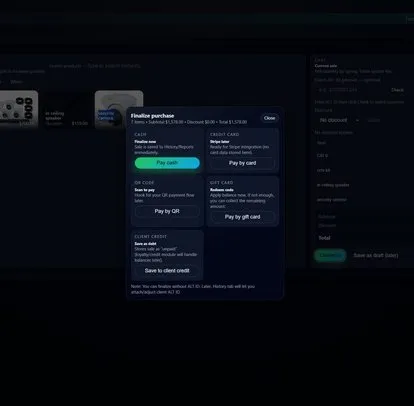
Shemify gives restaurant teams one browser-based POS for menu-based checkout, tables, checks, receipts, and end-of-day review. Build the menu, ring up the order, print or share the receipt, reopen history, and handle refunds from the same workspace.
For restaurants that mix counter service, table service, pickup, or light café traffic, Shemify keeps the front-of-house flow connected to staff roles, daily reports, customer programs, and location structure. Food and beverage businesses can also publish a public restaurant page with menu and reservations, plus an embeddable reservation widget for their own website.
Menus, tables, and checks should feel fast during service and still leave clean records after the rush

step 01
Build a menu staff can move through quickly
Use clear categories, modifiers, pricing, taxes, and receipt names so staff can find items faster, reduce mis-rings, and keep the guest-facing side of the order easy to read.

step 02
Keep tables, tickets, and checks organized
Run dine-in and mixed-service workflows with tables, open tickets, printed checks, and reservations so the host stand, floor, and counter stay connected instead of patched together.

step 03
Review service with receipts, history, and reporting
Look up past sales, resend or reprint receipts, handle refunds with the right approvals, and review totals, best sellers, and shift activity without piecing the story together from separate tools.
What restaurant teams usually add as the operation becomes more structured

Reservations and a public restaurant page
Food and beverage businesses can use a public page for menu and reservations, plus an embeddable reservation widget when they want a cleaner guest entry point than a static contact page.

Permissions, logs, and time accountability
As more people touch the register, paid plans add role-based access, full logs, and time clock tools so managers can protect sensitive actions without slowing down the floor.

Reporting, loyalty, gift cards, and growth paths
Daily reporting, customer programs, and a clean move from one site to multiple locations make it easier to keep the current operation tight while planning the next location or bigger team structure.
What Shemify covers for restaurants, counters, and mixed-service teams
Built for operators who want the service flow, the receipt trail, and the manager view to stay connected.
- Browser-based POS on phone, tablet, laptop, or desktop
- Menu setup with categories, prices, taxes, modifiers, promotions, and clear receipt names
- Tables with status derived from open tickets and reservations
- Open tickets, printed checks, printed or emailed receipts, searchable history, and refund workflows
- Public restaurant page with menu and reservations, plus an embeddable reservation widget
- Daily, monthly, and yearly reports with totals, best sellers, expenses, profit visibility, and exports
- Role-based access, full logs, time clock, and cleaner approval structure for discounts, refunds, and settings
- Loyalty, gift cards, and a clear upgrade path from one restaurant to multi-location operations
- Free for one owner login, Premium for one location with up to 5 app-access users, Enterprise for more seats and multiple locations
Keep the floor simple for staff while managers and owners keep control
Restaurant systems work best when the front line can move quickly and the people responsible for money, records, and configuration still have the visibility they need after the rush.
01
Limit sensitive actions to the right roles
Use staff permissions so discounts, refunds, pricing, and settings stay with the people who should control them, while cashiers and servers keep a cleaner working view.
02
Make receipt lookup and closeout review easier
Use receipt printing and sales reporting so guest follow-up, shift review, and manager handoff do not turn into a manual hunt across devices and spreadsheets.
03
Choose the plan by team shape, not hype
Start with Free or Premium when one location is enough, then move to Enterprise when you need multiple locations, more than 5 app-access users, or broader operational structure.
Restaurant POS FAQs
Quick answers about tables, reservations, receipts, permissions, public restaurant pages, and scaling restaurant teams.
Yes. Shemify is browser-based restaurant POS software built for menu-based checkout, receipts, searchable history, refunds, reporting, and staff control. Food and beverage businesses can also use tables, reservations, and a public restaurant page.
Yes. Shemify can support tables, open tickets, printed checks, and reservations for restaurants that mix dine-in, host-stand, and counter-service workflows.
Yes. Shemify keeps receipts and sales history searchable so staff and managers can revisit transactions, reprint or send receipts, and manage refund workflows more efficiently.
Yes. Premium and Enterprise support roles such as Partner, Manager, Cashier, and custom access so discounts, refunds, settings, and sensitive actions stay with the right people.
Yes. Food and beverage businesses can use a public restaurant page with menu and reservations, plus an embeddable reservation widget for their own website.
Free is built for one owner login. Premium adds one location with up to 5 app-access users plus deeper controls. Enterprise adds multiple locations and more than 5 app-access users with per-seat billing.