

 hi@shemify.com
Shemify gives cafés one browser-based POS for espresso bars, bakeries, grab-and-go counters, and neighborhood coffee shops. Keep checkout fast, tips simple, receipts clean, and daily numbers easier to review from the same workspace.
Build drinks, pastries, packaged beans, bottled items, and merchandise in one catalog, then run the counter from phone, tablet, or laptop. Search or scan items, adjust quantity, apply discounts, collect optional tips, and finalize the sale straight into receipts, history, and reports.
A coffee shop point of sale should keep the line moving and still leave clean records after the rush

step 01
Organize drinks, food, and retail items clearly
Group hot drinks, cold drinks, pastries, bags of beans, bottled items, and merch into categories your staff already understands. Clear naming makes rush-hour search faster and training easier.

step 02
Check out quickly with tips and discounts ready
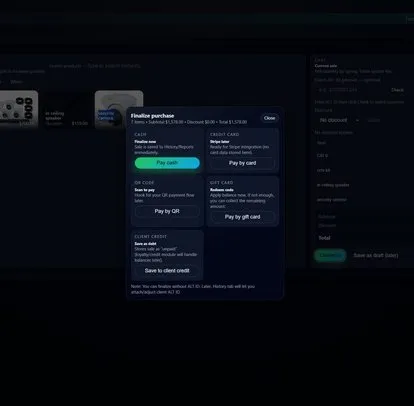
Search or scan products, change quantity when needed, apply a clean discount, and collect an optional tip before checkout. The flow stays simple for counter staff without hiding the numbers owners care about later.

step 03
Make every sale easy to revisit
Print or email receipts at the counter, then look transactions up later from searchable history when a customer needs a copy, a manager needs to review a refund, or you want to see which items drove the day.
What growing cafés usually add after the first smooth launch

Loyalty, stamps, and gift cards for regulars
Paid plans add customer programs built for repeat traffic: points or stamps, VIP tiers, bonus events, phone-based lookup, and digital or physical gift cards that can stay inside the same POS flow.
Tables, tickets, and reservations when needed
If your café also serves dine-in or patio traffic, Shemify can support tables, open tickets, printed checks, and reservations without forcing a separate front-of-house system.
Roles, reports, and team accountability
Premium adds up to 5 app-access users with roles, reports, full logs, loyalty, gift cards, and time clock. Enterprise is there when you need more seats or multiple locations in one workspace.
What Shemify covers for coffee shops, cafés, bakeries, and quick-service counters
Built for operators who want counter speed, repeat-customer tools, and cleaner control behind the scenes.
- Browser-based POS on phone, tablet, laptop, or desktop
- Catalog setup for menu items and retail products with categories, taxes, cost, stock quantity, barcode or SKU, images, and optional promotions
- Search or barcode-ready lookup, quantity updates, discounts, coupons, and optional tips at checkout
- Printed or emailed receipts, searchable history, and item-level refund workflows
- Loyalty with points or stamps, customer phone lookup, member discounts, VIP tiers, and seasonal bonus events
- Digital and physical gift cards with activation, balance tracking, and print-ready batch workflows
- Daily, monthly, and yearly reports with totals, best sellers, expenses, and profit visibility
- Roles, logs, time clock, and a clean upgrade path from one café to multiple locations
Keep the counter simple for staff while the system stays structured for owners
The rush should feel easy on the floor. Behind the scenes, owners still need clean permissions, trustworthy records, and a growth path that does not force a platform change later.
01
Protect pricing-sensitive actions
Use staff permissions so discounts, refunds, branding, and settings stay with the right people instead of being open to every user on the counter.
02
See what sells and when
Use sales reporting to review best sellers, category mix, expenses, and daily, monthly, or yearly trends before you change staffing, reorder ingredients, or launch a new promotion.
03
Start lean, then add seats and locations
Start on Free or Premium for a single café, then move to Enterprise when you need more than 5 app-access users, broader controls, or multi-location structure.
Café POS FAQs
Quick answers about counter service, mixed catalogs, tips, dine-in workflows, loyalty, and growth.
Yes. Shemify is built for fast browser-based checkout, clear receipts, optional tipping, and searchable sales history, which makes it a practical fit for coffee shops, bakeries, and quick-service counters.
Yes. Shemify supports a mixed catalog, so cafés can keep drinks, pastries, packaged beans, bottled items, and merchandise organized in one system with categories, pricing, stock, and barcode or SKU details.
Yes. The POS checkout flow includes optional tips, and sales can be finished into printed or emailed receipts that stay easy to look up later from history.
Shemify can also support tables, open tickets, printed checks, and reservations, so cafés that mix counter service with dine-in do not need a separate system just for those workflows.
Yes. Paid plans include loyalty and gift card tools, with options such as points or stamps, VIP tiers, bonus events, and digital or physical gift cards.
Yes. You can start with Free or Premium for a single setup, then move to Enterprise when you need more than 5 app-access users, multi-location structure, or broader access control.