

 hi@shemify.com
Point-of-sale (POS) software is the system that handles products or services, totals, taxes, receipts, and sales records when a customer checks out. Shemify is browser-based POS software built for businesses that want the selling flow, the receipt trail, and the day-end recordkeeping in one place instead of spread across disconnected tools.
That makes it a practical fit for retail shops, boutiques, cafés, restaurants, barbershops, and other service businesses that want a faster counter workflow today and cleaner operational control as the business grows. Start with core checkout, catalog, receipts, and daily history, then add deeper reporting, roles, customer programs, branded receipts, time tools, or multi-location structure only when the workflow calls for it.
What strong POS software should help you control

step 01
Make checkout clear for staff and customers
Search or scan items, adjust quantities, apply discounts, collect payment, and issue a printed or digital receipt from one consistent selling screen.

step 02
Keep the sales record easy to revisit
Find past sales by receipt or date, reprint or email receipts, review totals, and process refunds without digging through paper notes or separate systems.

step 03
Add control as the operation gets bigger
Bring in roles, reports, logs, loyalty, gift cards, debts, time clock, and multi-location structure when the business needs more than a simple register.
What businesses usually compare before choosing POS software

Counter speed and device fit
A good POS should work on the device that fits the setup, whether that is a phone, tablet, or laptop, and keep item lookup, totals, and receipt handling quick under pressure.

Receipts, history, and end-of-day visibility
Teams need more than a register screen. They need searchable history, cleaner refunds, daily totals, and reports that make closeouts easier to review and explain.

Access control and room to grow
The platform should stay manageable when more people need logins, when branding starts to matter, or when a second location and deeper customer tools become part of the workflow.
What Shemify keeps inside one POS workspace
Designed for teams that want the daily selling flow to stay simple while records, permissions, and customer-facing outputs become easier to manage.
- Browser-based POS on phone, tablet, laptop, or desktop
- Products and services with categories, variants, taxes, cost, stock quantity, barcode or SKU, images, and optional promotions
- Search or barcode-ready item lookup, quantity changes, discounts, coupons, and customer-ready receipts
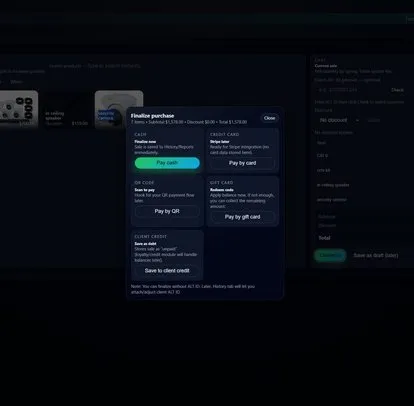
- Printed or emailed receipts, searchable sales history, and item-level refund workflows
- Paid-plan reporting with daily, monthly, and yearly views, expenses, profit visibility, and export-ready records
- Owner, partner, manager, cashier, and custom roles with logs and tighter control over sensitive actions
- Loyalty, gift cards, debts, time clock, and branded receipts when the business needs more than core checkout
- Enterprise multi-location workspaces with per-seat access for larger teams and growing operations
Choose the POS setup that matches the way you sell
The core platform stays consistent. What changes is how you configure the catalog, checkout flow, team access, and reporting around the business model.
01
Retail and boutique POS
Use categories, variants, stock quantity, barcode or SKU lookup, promotions, and best-seller reporting for counters that sell physical products. Explore retail POS and boutique POS.
02
Café and restaurant POS
Keep menu checkout fast, apply discounts, issue clear receipts or checks, and give staff cleaner access to shift workflows. Explore café POS and restaurant POS.
03
Service business POS
Sell services and retail in one workspace, answer customer questions with searchable history, and bring more staff into the system only when the operation needs it. Explore barbershop POS and small business POS.
Point of sale software FAQs
Answers about devices, hardware, plan growth, and how Shemify fits different business models.
Point-of-sale software is the system that handles items or services, totals, taxes, receipts, and sales records at checkout. Shemify keeps that workflow, plus searchable history and staff controls, inside one browser-based workspace.
Shemify is built for retail shops, boutiques, cafés, restaurants, barbershops, and other service businesses that want checkout, receipts, reporting, and team access in one POS.
Yes. Shemify runs in the browser on phone, tablet, laptop, and desktop. Because it is cloud-first, a stable connection is recommended for busy counters.
Many businesses start with a phone, tablet, or laptop. If you want printed receipts or barcode scanning, test the exact browser, device, printer, and scanner combination you plan to use before rollout.
Premium and Enterprise add deeper controls such as role-based access, advanced reports, full logs, branded receipts, loyalty, gift cards, debts, time clock, and broader user or location access depending on the plan.
Yes. Free covers core checkout, catalog, receipts, and daily history for one owner login. Premium supports one location with up to 5 app-access users, and Enterprise scales to more users and multiple locations.
Yes. The same platform can be configured for stocked retail catalogs, menu-based checkout, and service-led selling, with dedicated pages to guide the setup for each business type.