

 hi@shemify.com
Shemify gives barbershops one browser-based POS for appointments, walk-in checkout, service menus, retail products, tips, receipts, and reporting.
Use it at the front desk or behind the chair to keep checkout simple, keep sales history searchable, and give owners clearer control over staff access, time, and daily performance. For a single barber shop or a growing multi-chair team, the workflow stays clean from open to close.
Appointments, walk-ins, and retail in one daily workflow

step 01
Set up services and products clearly
Create Haircut, Skin Fade, Beard Trim, Kids Cut, or grooming product items with clear pricing. Service items and retail products can live in the same catalog without making checkout messy.

step 02
Move from appointment to checkout fast
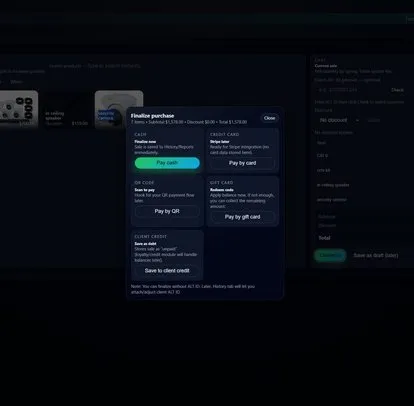
Open an appointment ticket when a booked client arrives or ring up a walk-in immediately. Add products, extras, or tip-ready services without leaving the POS flow.

step 03
Finish with receipts and searchable history
Print or email receipts, then keep every sale easy to find later for reprints, follow-up questions, and refund workflows that stay tied to the original checkout.
The tools barbershops ask for once the chair starts filling up
Roles that fit the shop
Owners can keep branding, billing, discounts, and refunds restricted while barbers or front-desk staff stay focused on the actions they actually need.
Time clock and team visibility
Paid plans add time clock workflows and cleaner hour tracking, which helps managers review attendance and prepare payroll with less back-and-forth.

Loyalty and gift cards
Turn repeat visits into a system with loyalty rewards, customer lookup by phone, and digital or physical gift cards for regulars, referrals, and seasonal sales.
What Shemify covers for a modern barbershop POS
Built for service businesses that sell both time and product, without forcing your team into a bloated setup.
- Appointments and walk-in checkout in the same browser-based POS
- Services, retail products, and add-ons in one catalog
- Optional tip collection at checkout
- Printed or emailed receipts plus searchable sales history
- Refund flows that respect products versus services
- Loyalty programs, gift cards, and customer lookup by phone
- Reporting, logs, and role-based staff access
- Multi-user and multi-location growth paths when the shop expands
Control the shop without slowing down the counter or the chair
The daily flow stays simple for barbers. Owners and managers keep the deeper controls when they need them.
01
Keep sensitive actions limited
Use staff permissions so discounts, refunds, branding, and billing stay with the right people.
02
Review the numbers that matter
Use sales reporting to review daily totals, service versus retail mix, tips, expenses, and labor hours.
03
Add structure as the team grows
Start with core checkout, then move to Premium or Enterprise when you need more users, loyalty, gift cards, time clock, or multiple locations.
Barbershop POS FAQs
Quick answers about appointments, walk-ins, services plus retail, staff access, and device setup.
Yes. Shemify can keep appointment tickets and walk-in checkout in the same POS, so your team can move from booked services to counter sales without switching tools.
Yes. A haircut, beard trim, and retail add-on can all be rung up in one sale, so your service revenue and product revenue stay inside the same checkout flow.
Yes. You can add an optional tip at checkout and then print or email a receipt for the customer.
Yes. Roles and permissions help keep sensitive actions limited to the right people, which is especially useful once multiple barbers or front-desk staff share the system.
On paid plans, Shemify can include time clock workflows so managers can review hours and prepare payroll more cleanly.
Shemify runs in the browser on phone, tablet, and laptop. Hardware setup depends on the device and browser, so check hardware & integrations if you need printers, drawers, or scanning.